
By default, each account only requires one user with the appropriate permissions to execute transactions. However, the platform offers an additional layer of security for processing transactions. This can be applied to withdrawals, transfers, and standard exchanges.
If extra security is required, the account can be configured in two different ways (and settings can vary by transaction type):
- 4‑Eyes Workflow Approval: One user initiates the transaction, and another user approves it.
- 6‑Eyes Workflow Approval: One user initiates the transaction, and two additional users approve it.
If you wish to set up the 4‑eyes or 6‑eyes approval workflow, please contact support@wearefreemarket.com.
If the 4‑Eyes or 6‑Eyes workflow is enabled, users will require additional permissions to approve transactions:
Withdrawal Approver: Required to approve a withdrawal.
Exchange Approver: Required to approve an exchange (valid only for Standard Exchanges).
Transfer Approver: Required to approve a transfer.
To add any additional permissions, A Client Admin user can follow these steps:
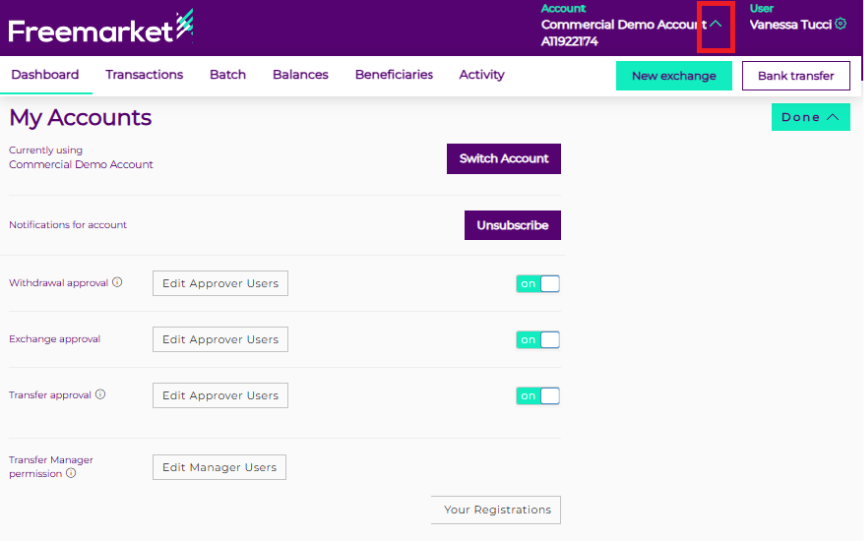
- Click the arrow next to the account name.
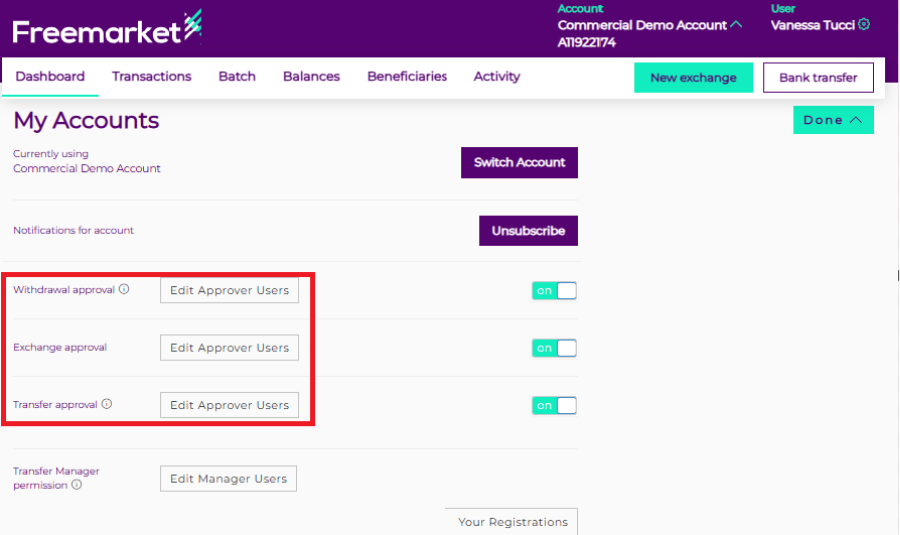
- Click the “Edit Approver Users” button for the transaction type where you want to amend the workflow.
 - Insert email address of the existing user
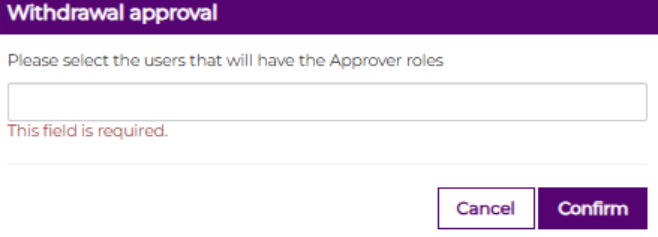
- Click on “confirm”