
Please note that this feature is only available to users with “Client Admin” permissions. Alternatively, Freemarket can create new users on your behalf if you provide a Letter of Authorisation signed by the director.
A user with “Client Admin” permission can create new users by following these steps:
- Click the arrow next to the account name.
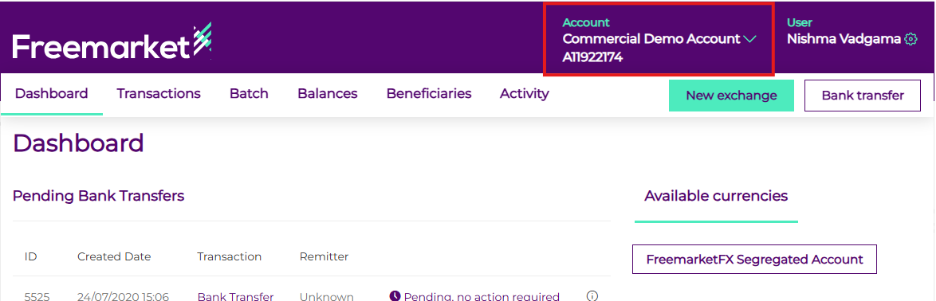
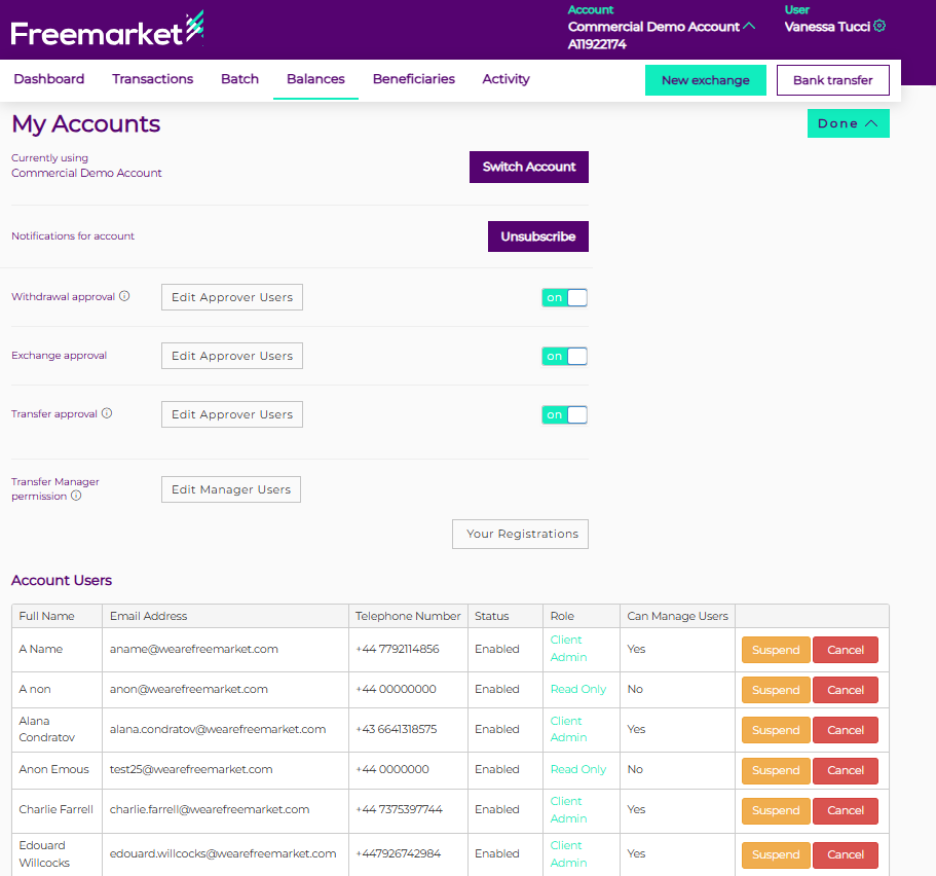
- At the bottom of Account/User Management page, you can view all users with access to the account, including those who are temporarily suspended.
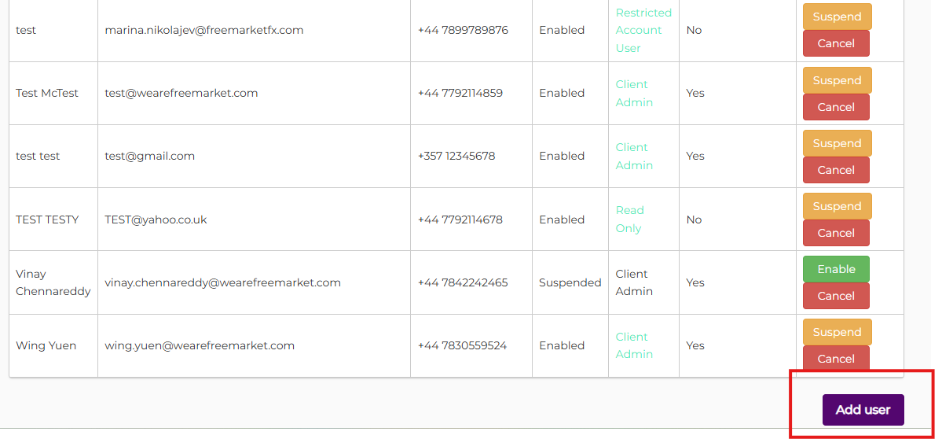
- Scroll to the bottom of the page and click the “Add User” button on the right-hand side.
- A pop-up box will then appear, allowing you to enter the details for the new user.
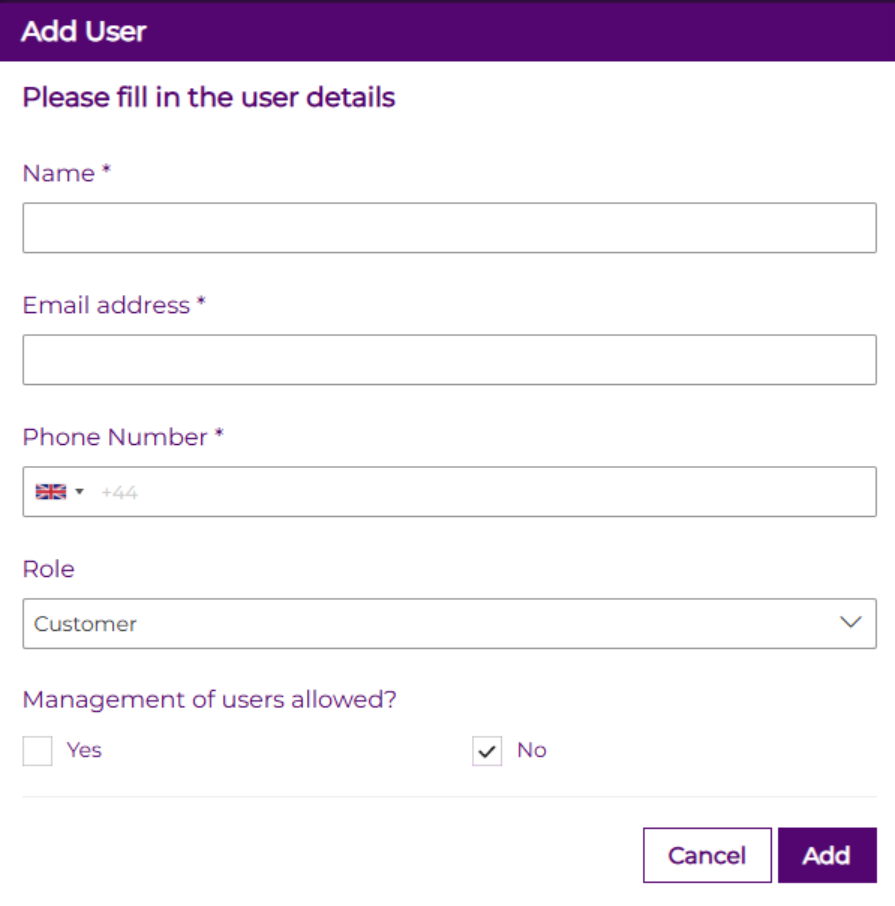
- Enter the required information for the new user and save. The new user will automatically receive an email with a registration link.
Please note that the link is valid for 24 hours only. If the email does not appear in the inbox, check the Junk or Spam folder. If you still do not receive the email, contact support@wearefreemarket.com for further assistance.