
Users can be permanently deleted from the platform by a Client Admin. To do so, follow these steps:
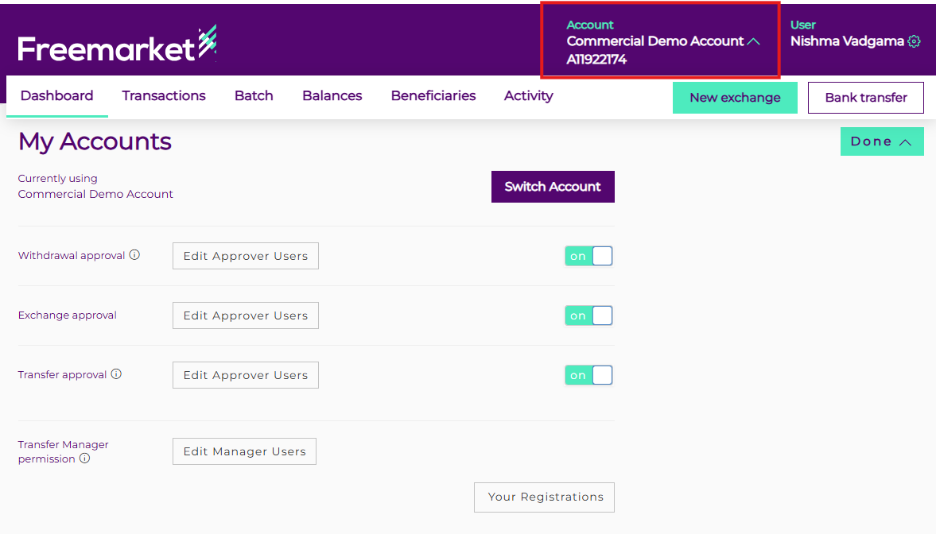
- Click the arrow next to the account name.
- Scroll down the page until you reach the User Management table.
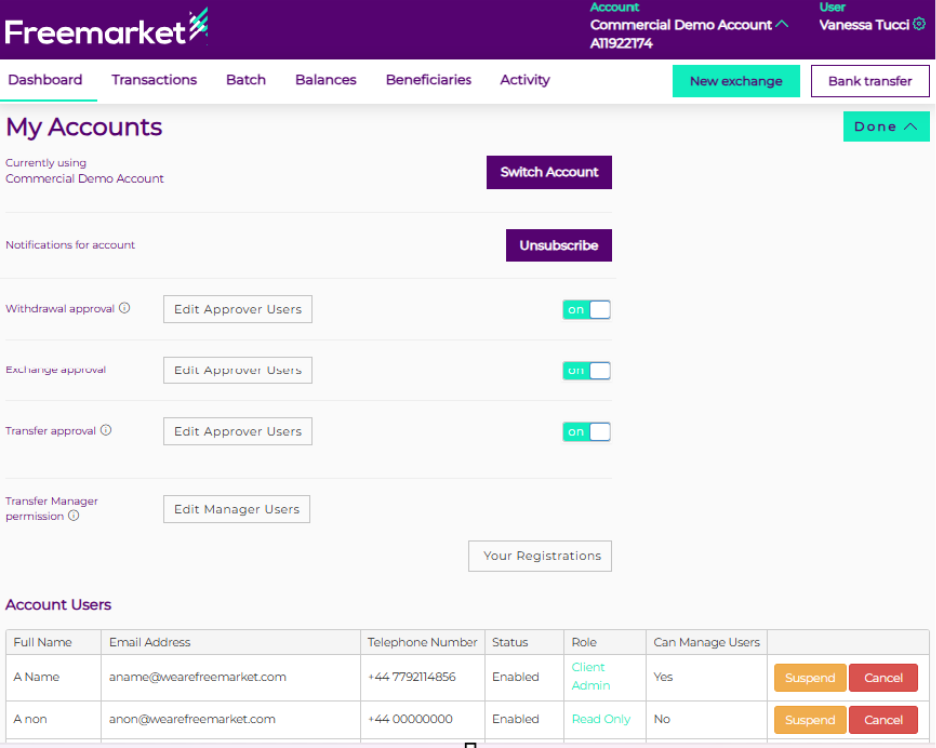
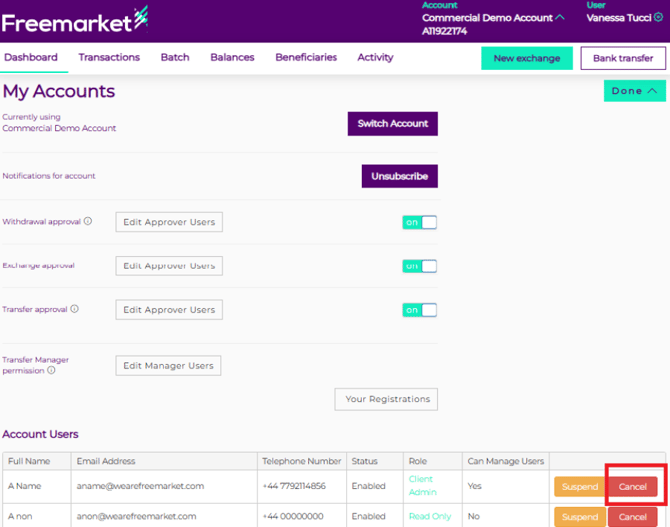
- Browse through the list of users displayed.
- Identify and select the specific user you would like to suspend and click on “Cancel” on the right side of the page.
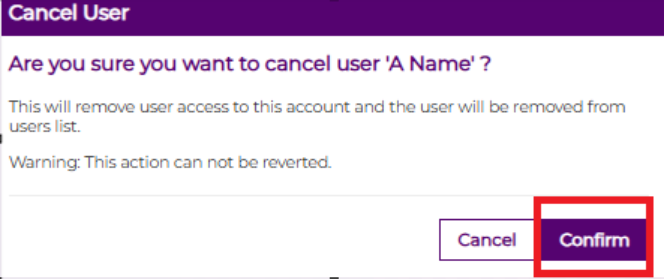
- After selecting the user, a confirmation pop‑up box will appear. Please review the details carefully to ensure you have chosen the correct user.
Alternatively, you can forward your request to your Relationship Manager or contact Support for assistance with deleting a user.