
To make a payment from your Freemarket account:
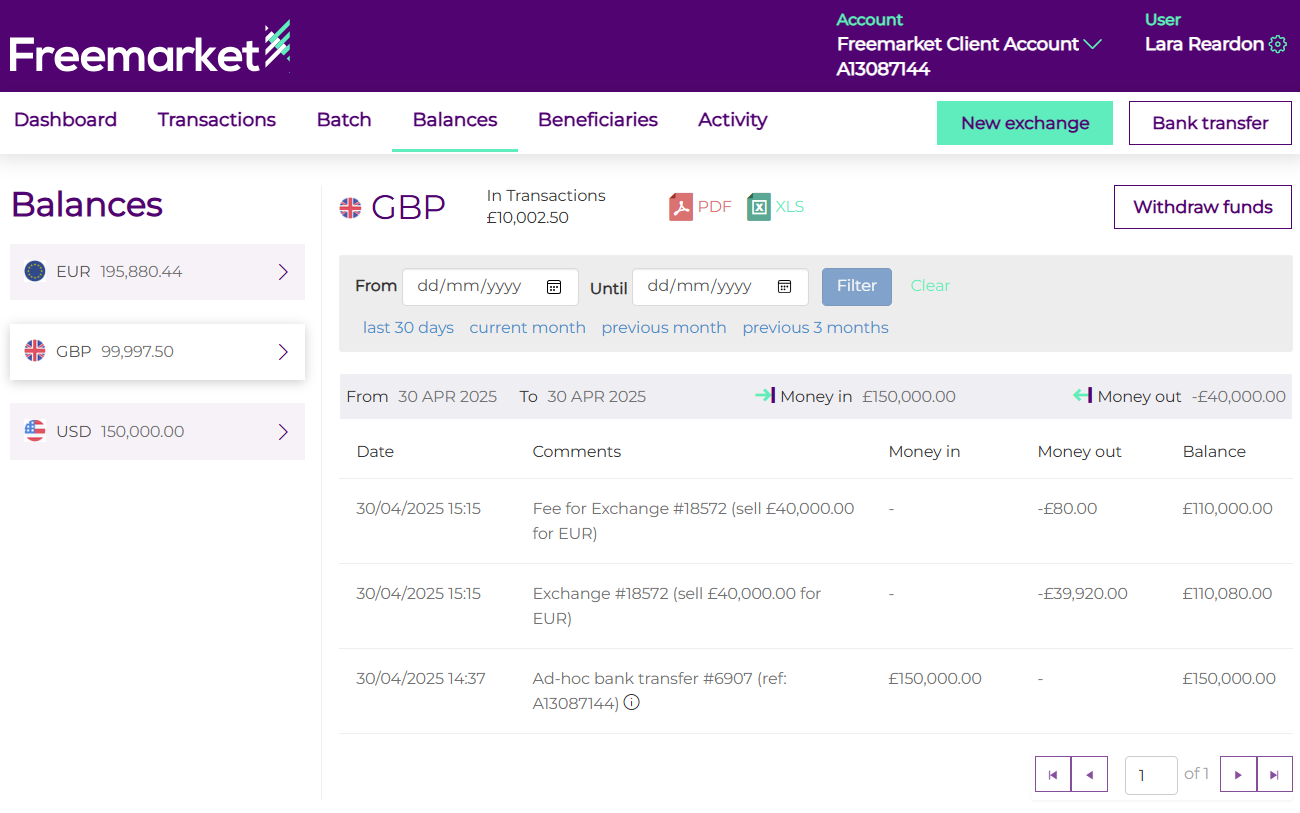
- Log onto your Freemarket account, and click on the Balances tab.
- Choose the currency you wish to withdraw from the side bar on the left-hand side.
- Select Withdraw funds
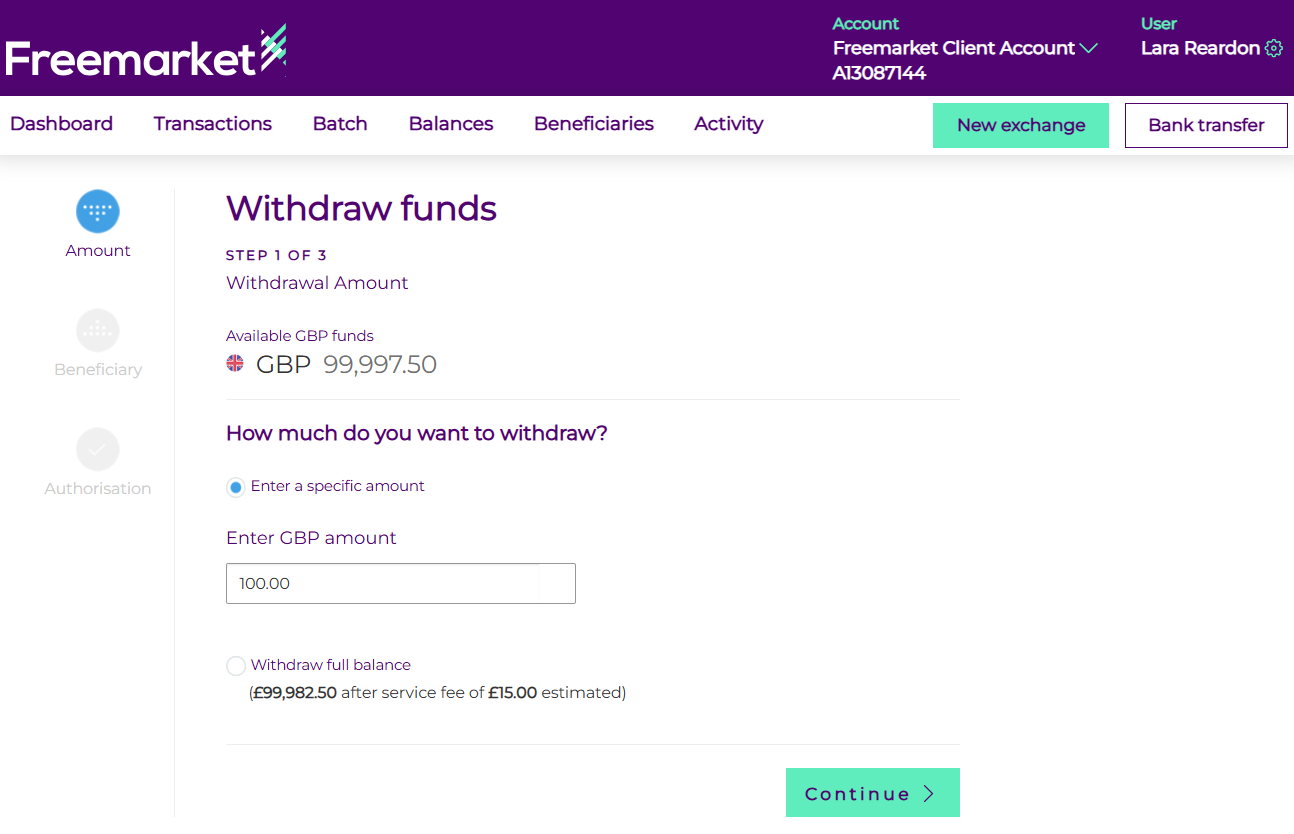
- Enter the amount you wish to withdraw, or select to withdraw the full balance, and click Continue.
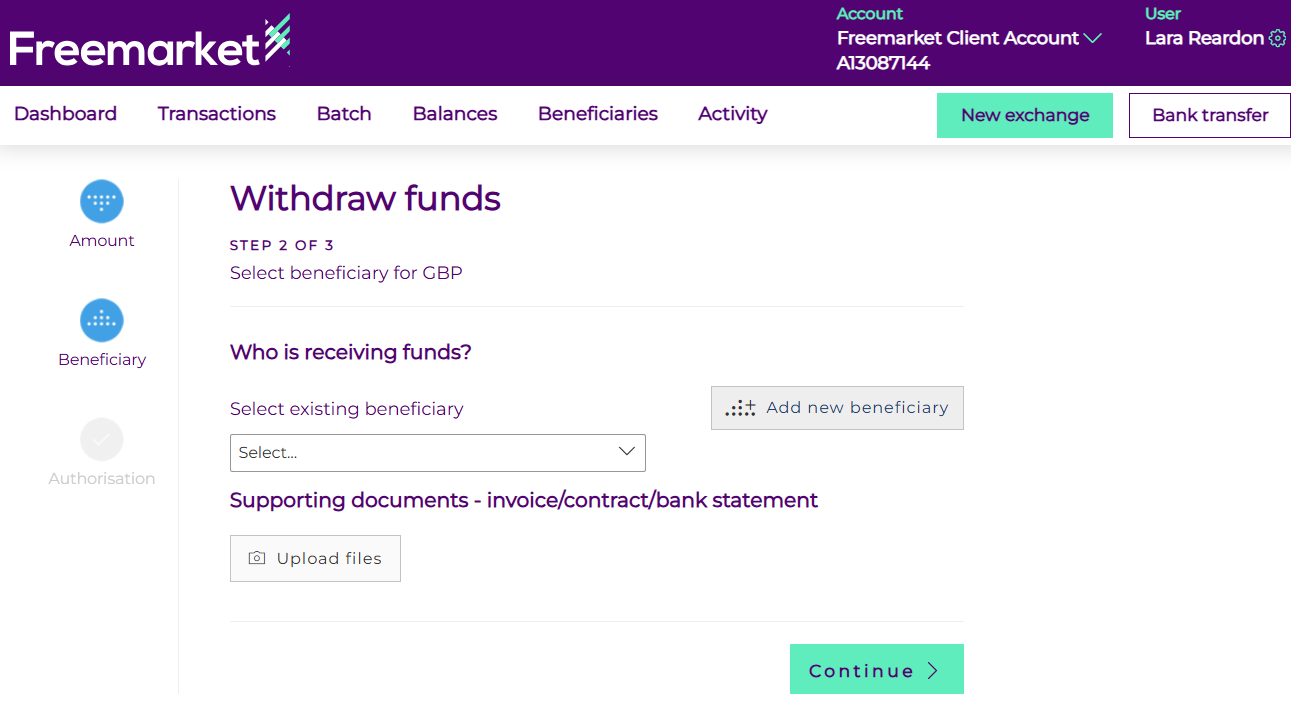
- You can either select an existing beneficiary from the drop down or create a new one by selecting the Add new Beneficiary button.
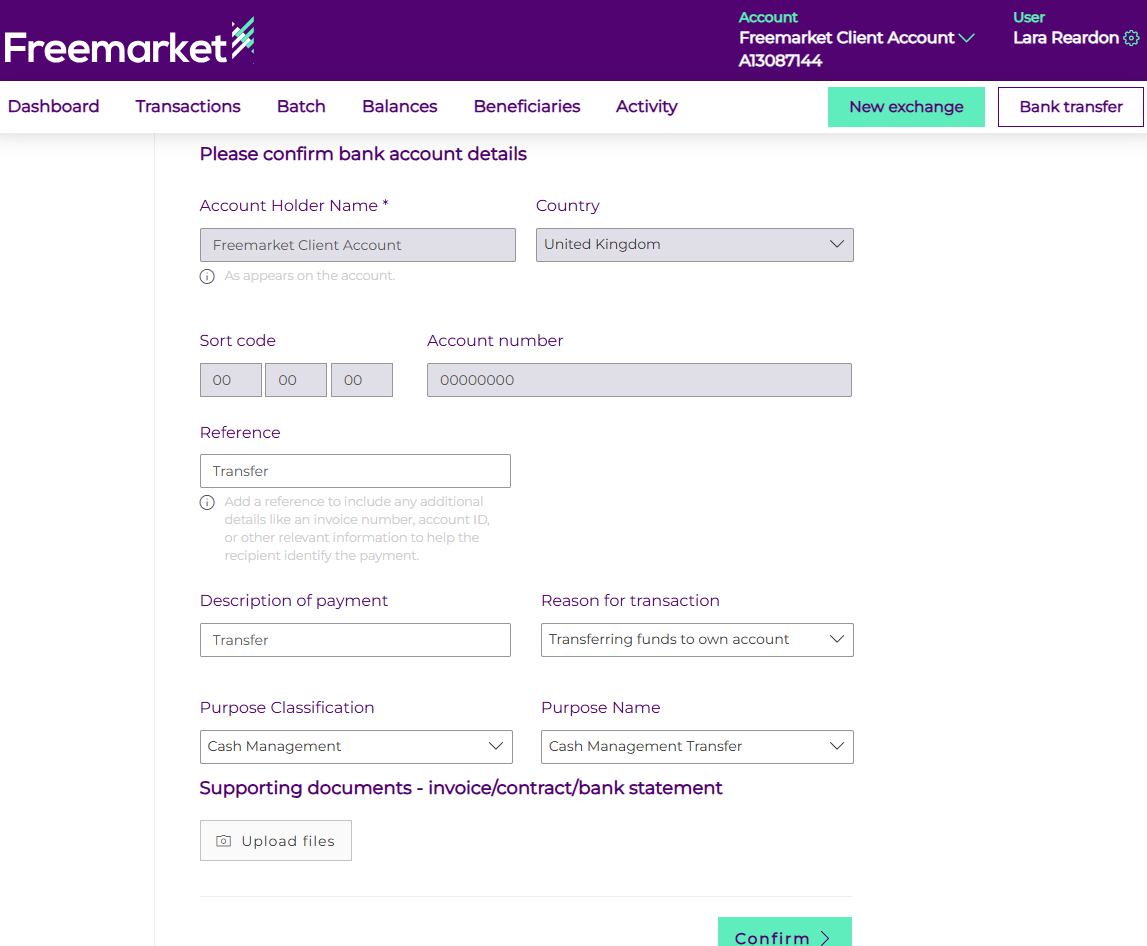
- If creating a new beneficiary, populate the fields that appear, including beneficiary address and account details. Upload any supporting documentation required such as invoices, contracts or statement, and click confirm
- If this is a new beneficiary or one which you have not authorised, you will be sent an authentication code to enter to confirm the payment.
- Once confirmed, a confirmation will display. Depending on your account set up approval from another user on your account may be required to approve the payment. Once approved, the payment will show as pending. For more information on the payment statuses and their meanings, please see our guide.
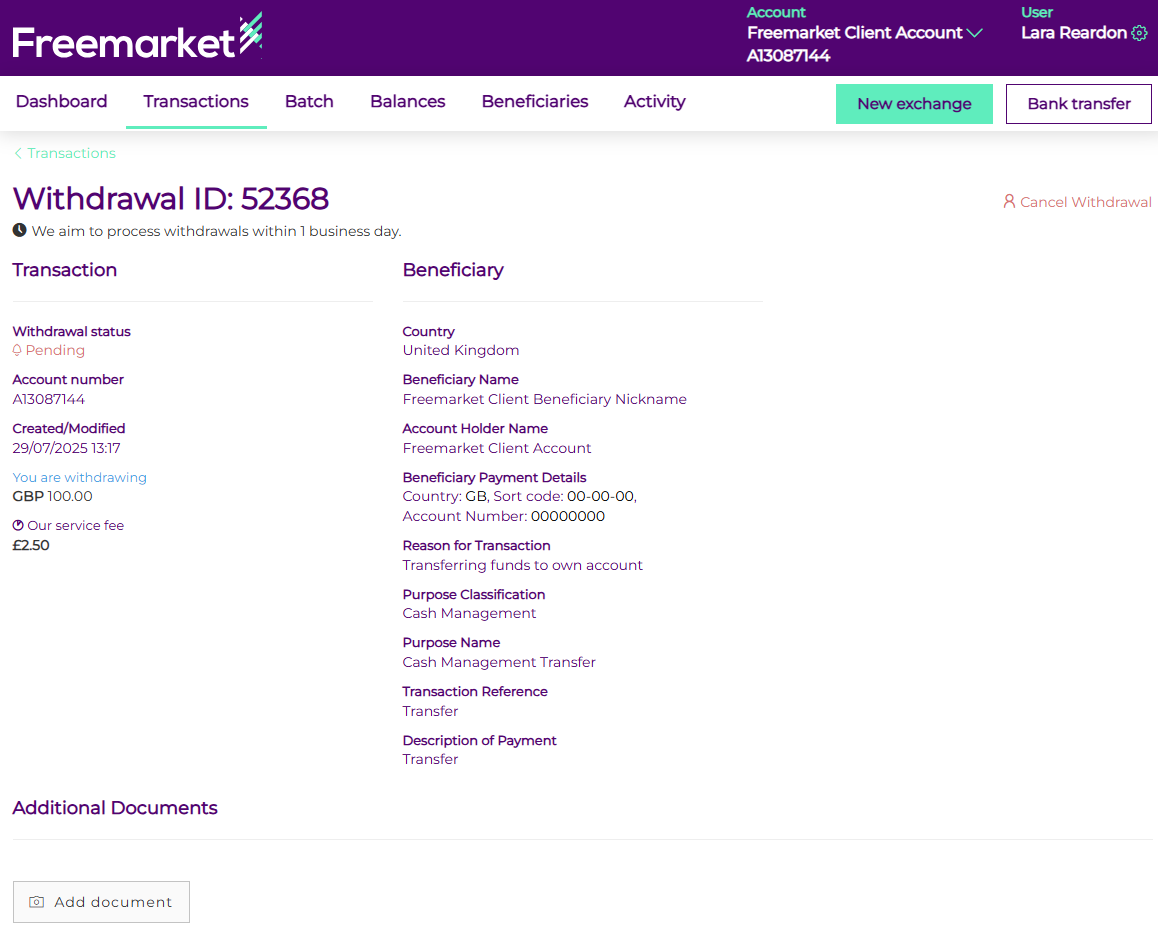
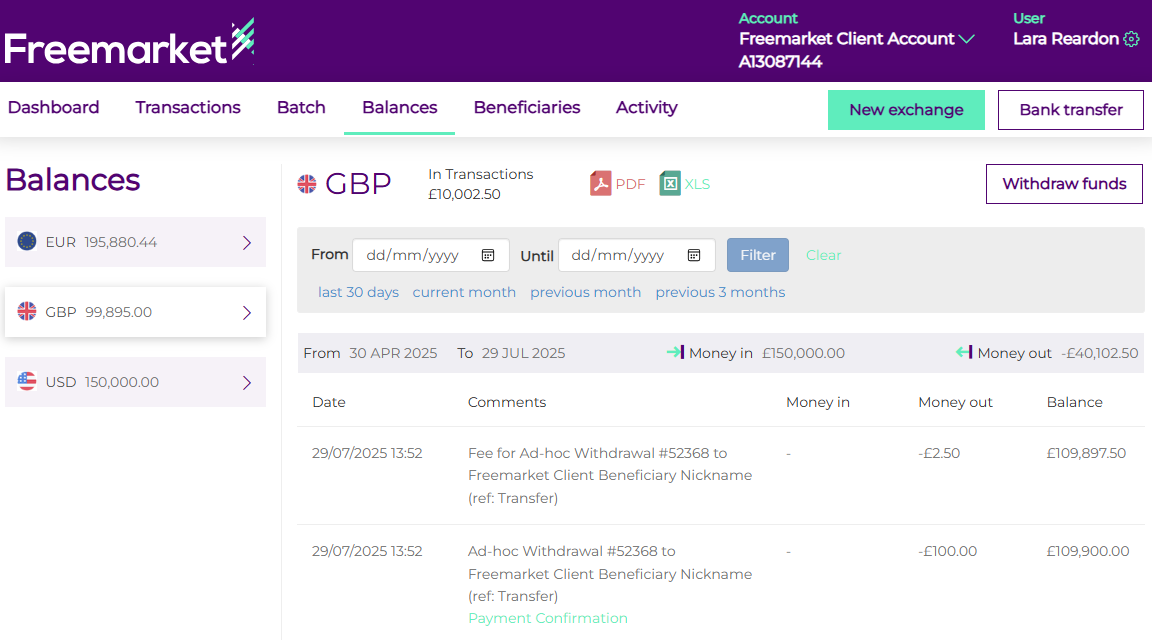
- Once the payment is completed, it will show as a completed transaction under the Transaction tab, and you will see it in the currency activity on the Balances tab updated to reflect the debit.
If you are sending funds to another Freemarket account, you can do this as an inter or intra account transfer. Transfers are faster and not subject to any third-party banking fees.
Please note: While you can initiate payments on the Freemarket platform at any time, processing and settlement are dependent on banking hours.