
- To execute a standard exchange, go to the main dashboard and select “New Exchange” in the top right-hand corner

- Select ‘Real Time Exchange’
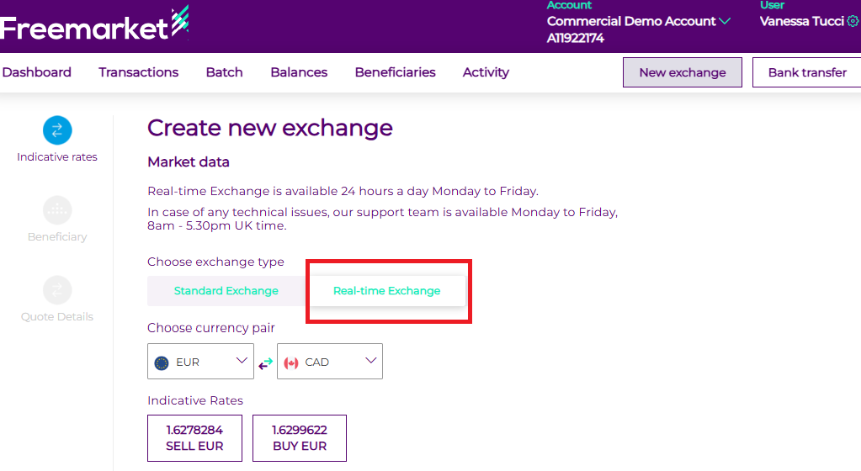
- Live rates are provided via API from our banking partners and will vary based on the currency pair you select.
- Once you’ve selected your currency pair, choose “Buy” or “Sell”.
- You will then be prompted to either leave funds on account or withdraw to a beneficiary
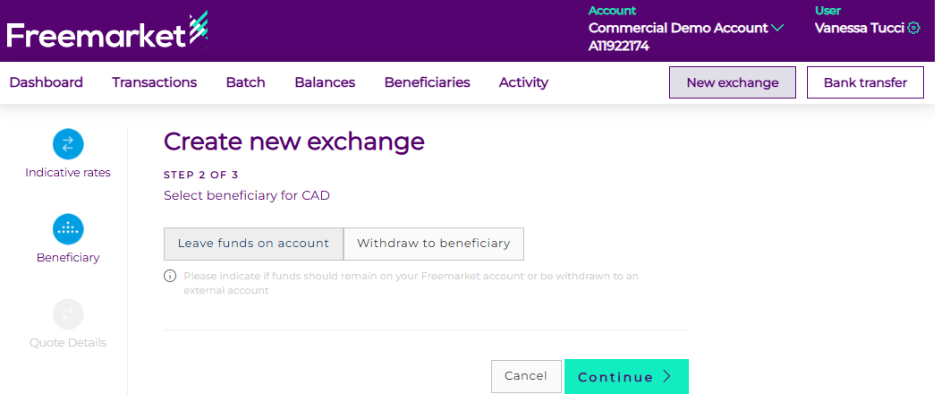
- Leave funds on account → click “Continue” and review the exchange status in the Transaction tab.
- Withdraw to beneficiary → select an existing beneficiary or add a new one.
- Click on “Get tradeable quote” to proceed
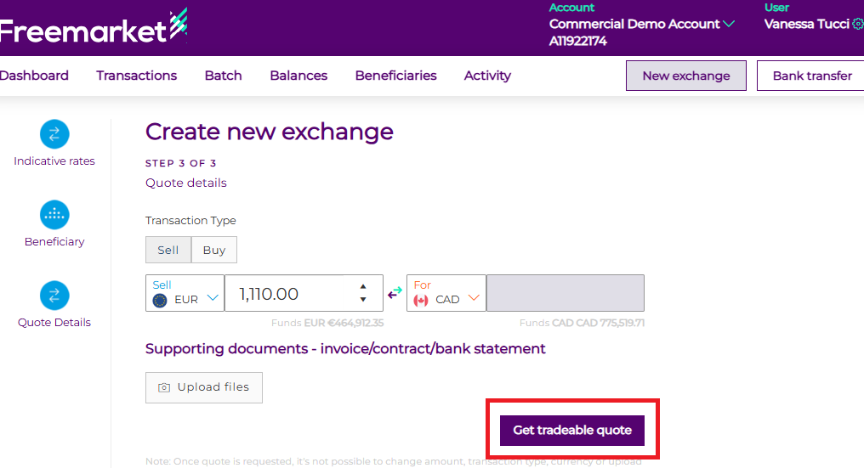
- The exchange rate and service fee will be generated. Click Accept/Confirm to proceed.
- You will have 30 seconds to either confirm or cancel the quote.
- Once confirmed, the exchange instruction and onward payment (if applicable) will be completed.
- The exchange will then immediately appear in the Transactions tab
Note: Please note that if an additional security level* is configured for exchanges, it cannot be applied to real-time exchanges but only for standards. The platform will bypass this setting, as live rates are time-sensitive and cannot accommodate extra approval steps.
*For an added level of security, transactions can follow either a 4‑eyes or 6‑eyes approval workflow:
- 4‑eyes: One user initiates the transaction, and a second user approves it.
- 6‑eyes: One user initiates the transaction, and two separate users approve it.