
- To execute a standard exchange, go to the main dashboard and select “New Exchange” in the top right-hand corner

- Select ‘Standard Exchange’
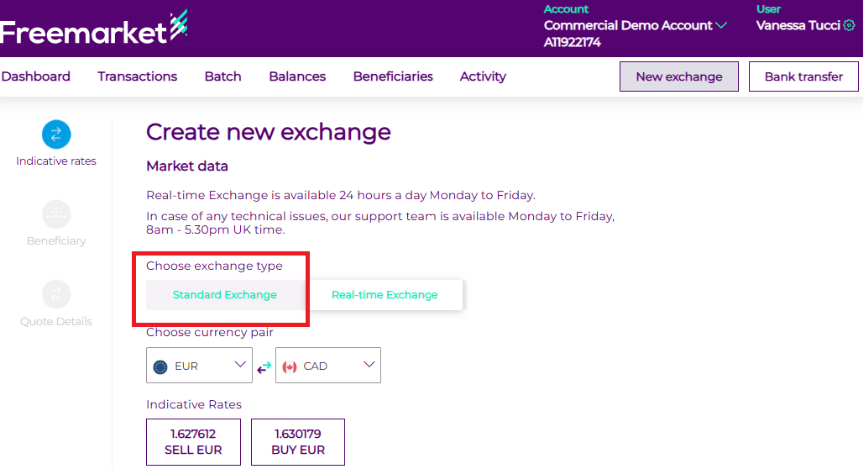
- Select your desired currency pair, then choose Buy or Sell under the Indicative rates
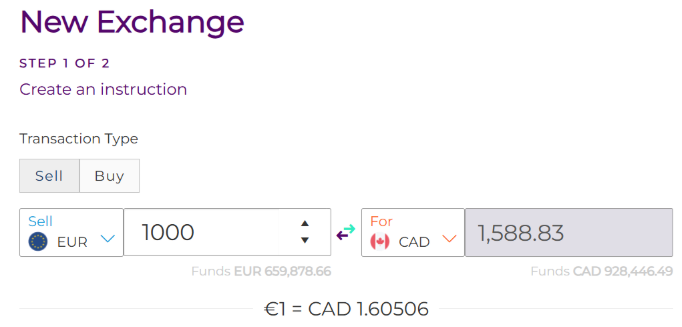
- Enter in the values you would like to buy or sell
- Select whether you would like to use existing funds by clicking Yes or No.
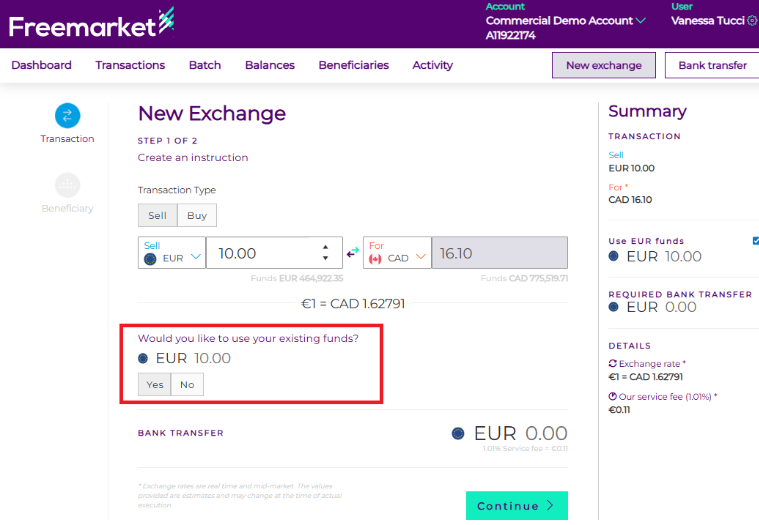
- After clicking Confirm, you will be prompted to either leave funds on account or withdraw them to a beneficiary. 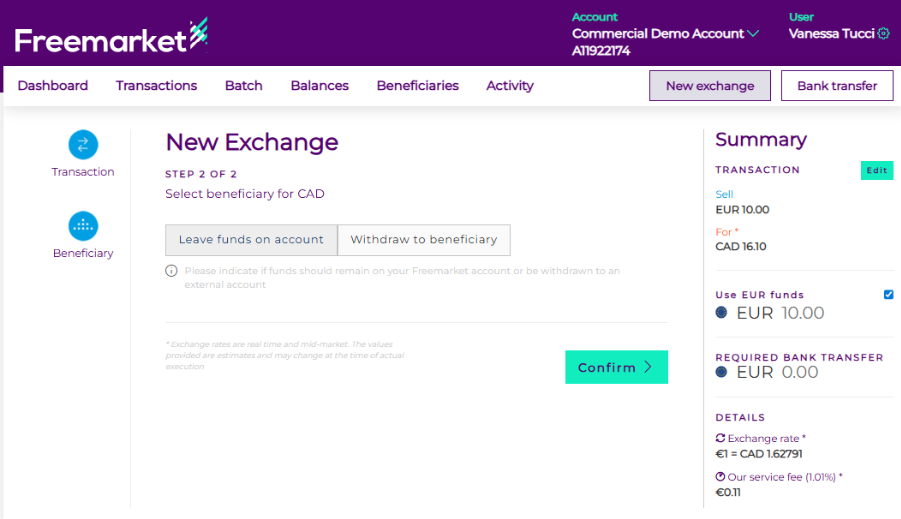
- Leaving funds on the account means that, once the exchange is completed, the funds will be credited to your balance. To leave funds on account, click “Confirm” and review the exchange status in the Transaction tab.
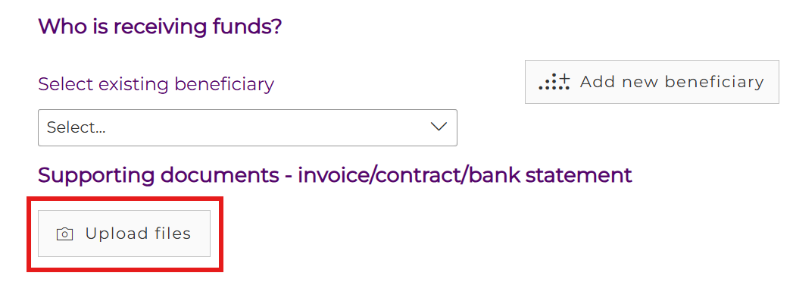
- Withdrawing to a beneficiary means that, once the exchange is executed, the funds will be sent directly to the beneficiary. To withdraw to a beneficiary, select an existing beneficiary or add a new one.
- Supporting documentation can be uploaded by selecting “Upload Files”
- Click confirm and review the exchange status in Transactions Tab -> Scheduled
- The standards exchanges are booked during operating hours. Once an exchange is booked and completed, the final rate will be confirmed. Until that point, any quoted rate should be considered indicative.
Note: if an additional security level is enabled and the standard exchange requires approval from another authorised user, the exchange cannot be processed by the Freemarket Banking team until that approval is granted.