
Downloading your currency balances is an easy and simple process.
You can view a detailed history of your completed transactions, including any fees, and your balances from the Balances tab in your Freemarket account. Toggle between currencies on the left-hand side to select which currency you would like to view the balance and history of.
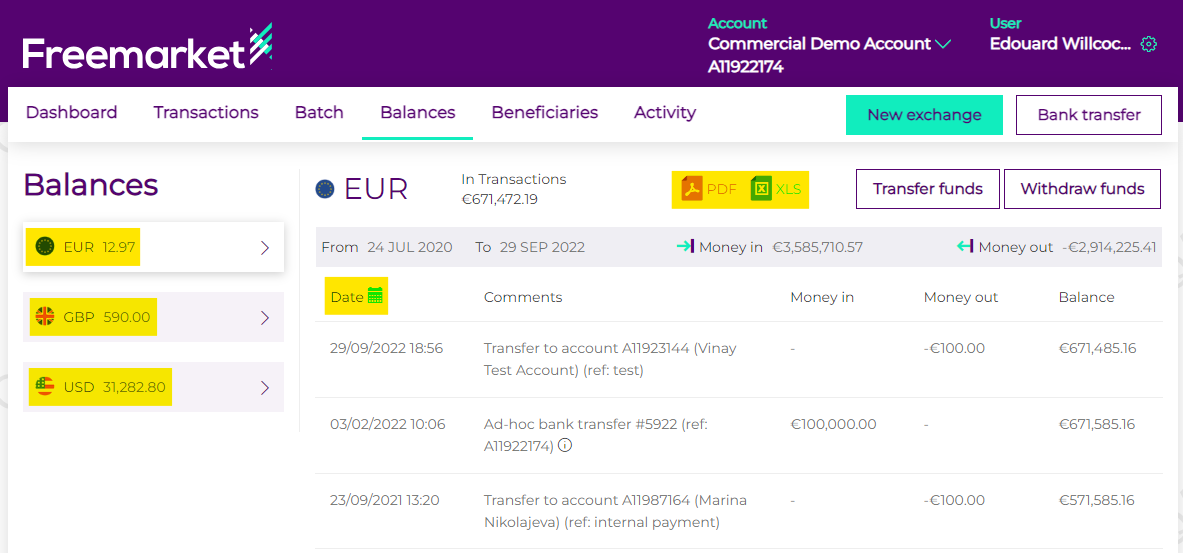
From the Balances page, you can easily export the transaction history for that currency in either a PDF or XLS format, using the PDF and XLS icons.
As default, the platform will export the entire history, so if you require a specific data range, click on the green calendar icon (situated next to date), and select the date range you are interested in. This will change the display to only transactions in within that period. You can then export the data using the icons.