
Please follow the below steps to initiate an internal transfer:
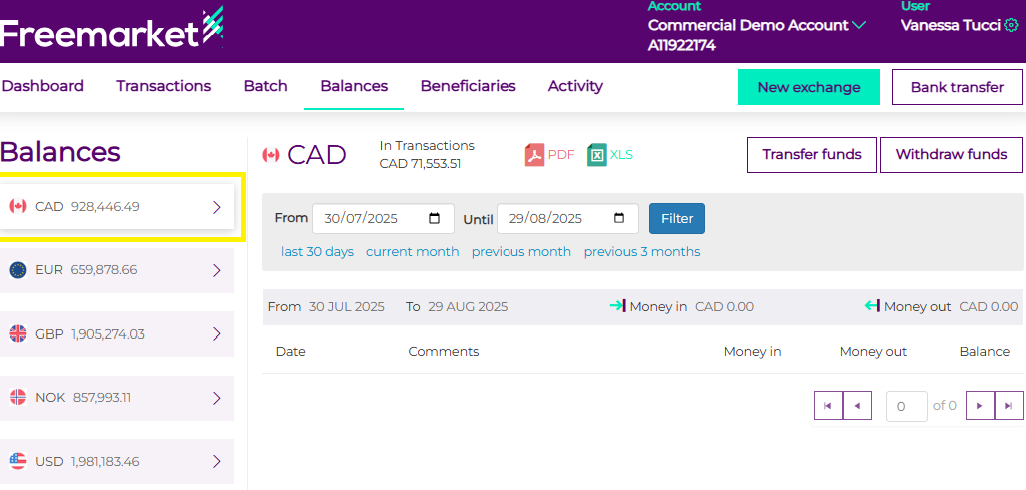
- Click on Balances

- Select the currency required
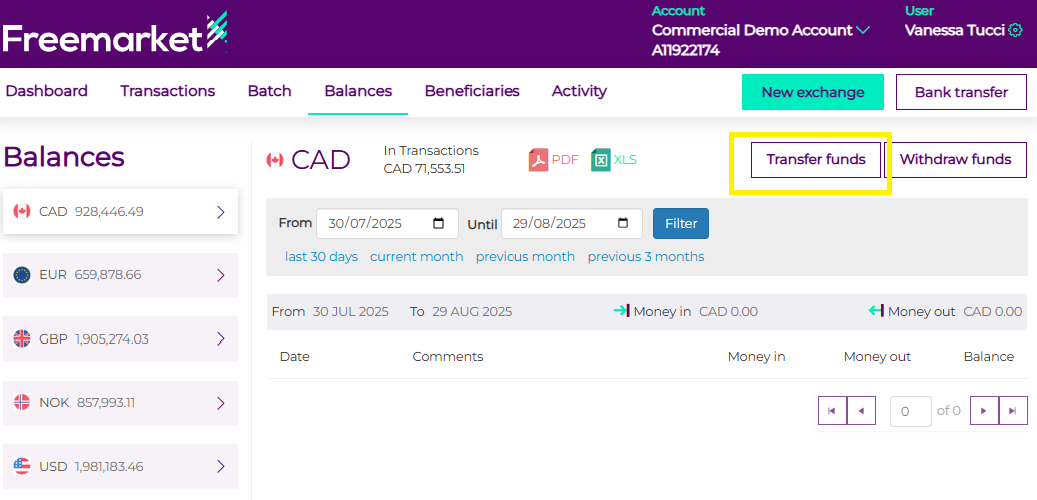
- Click on "Transfer funds" button at the top right
- Select "Push to account" and select continue
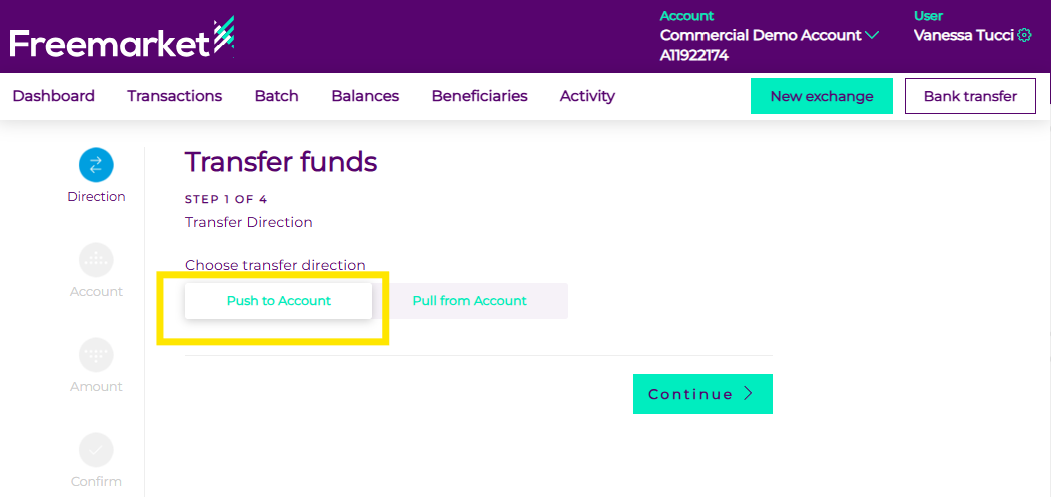
*If you would like to pull the funds from another one of your accounts, please select “Pull from the account”
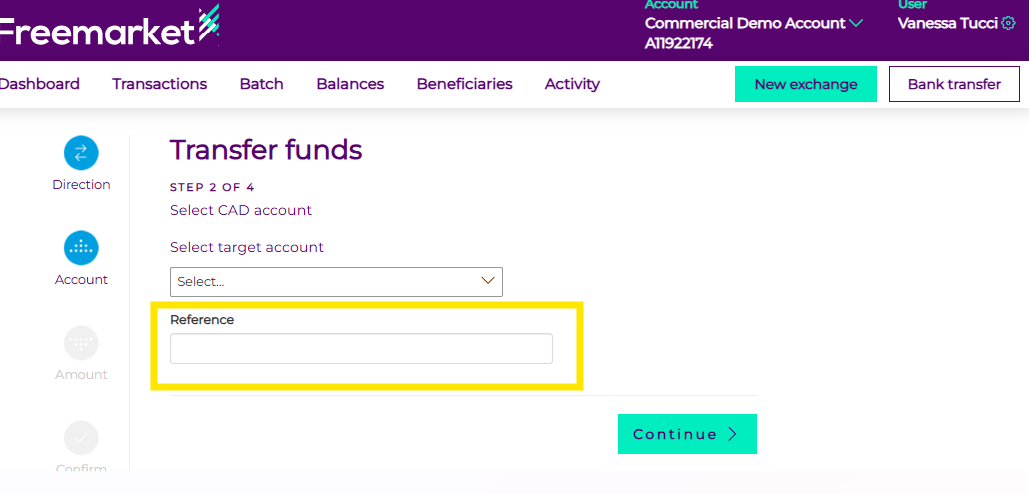
- Select the account that should receive the funds from the dropdown:
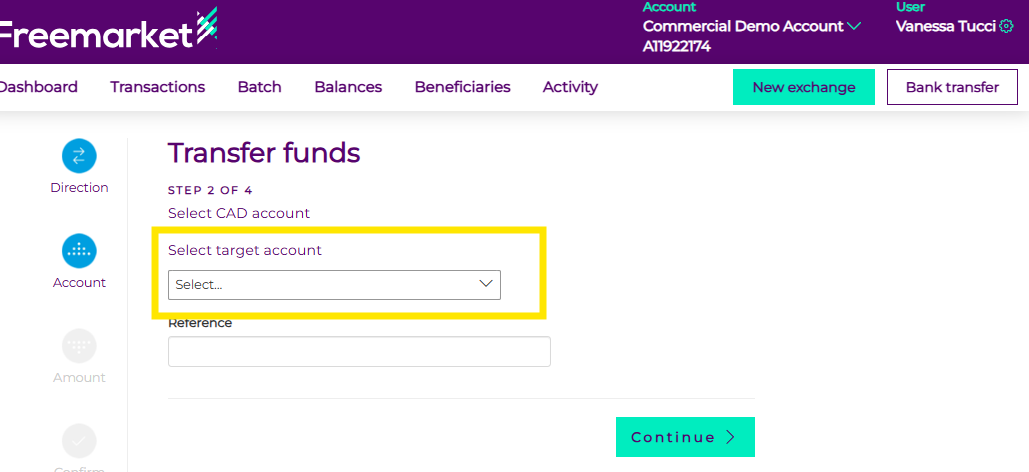
- Add a reference
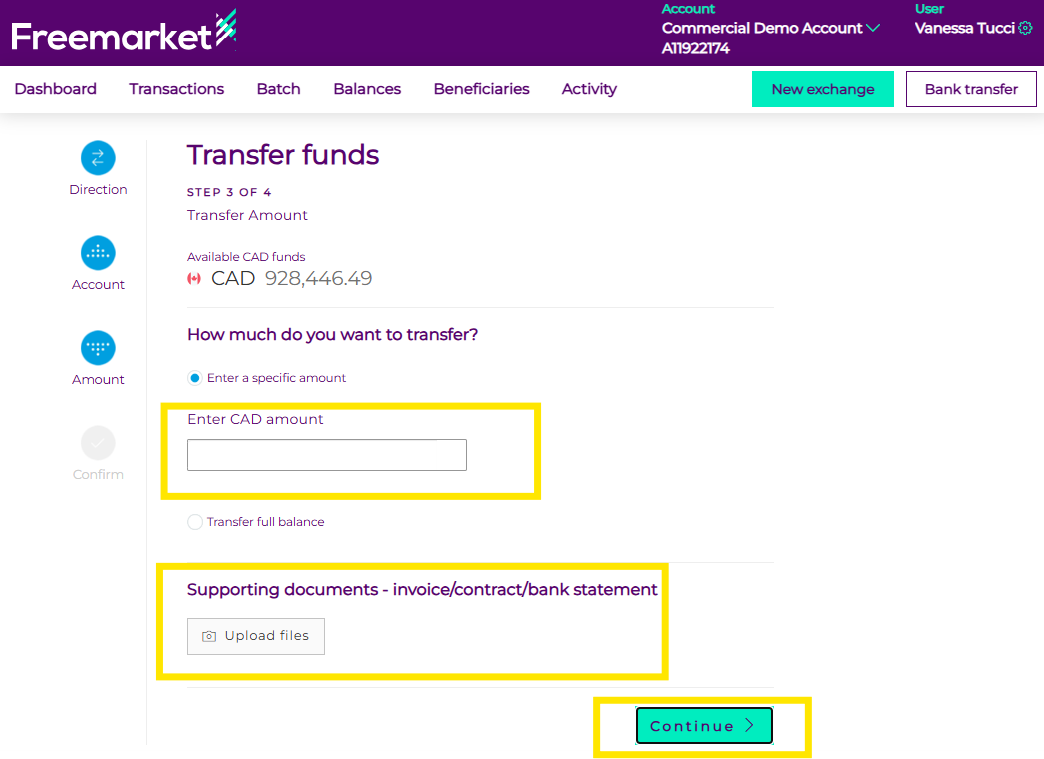
- Enter the amount required/full balance, attach documentation and select continue:
- Please review the details of the transaction and click on “Transfer”
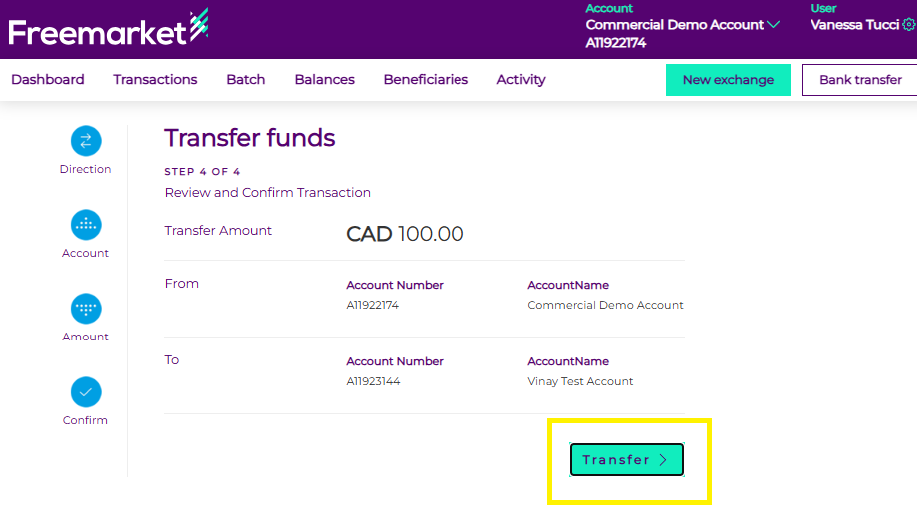
The funds transfer will be executed and completed