
Suspending a user allows to temporarily restrict a user’s access to the platform without permanently deleting their login details. This ensures that the user’s data and profile remain intact while preventing them from logging in or using platform services during the suspension period. Only users with “Client admin” permissions have the ability to suspend other users.
As user can be suspended by following the below steps:
- Click the arrow next to the account name.
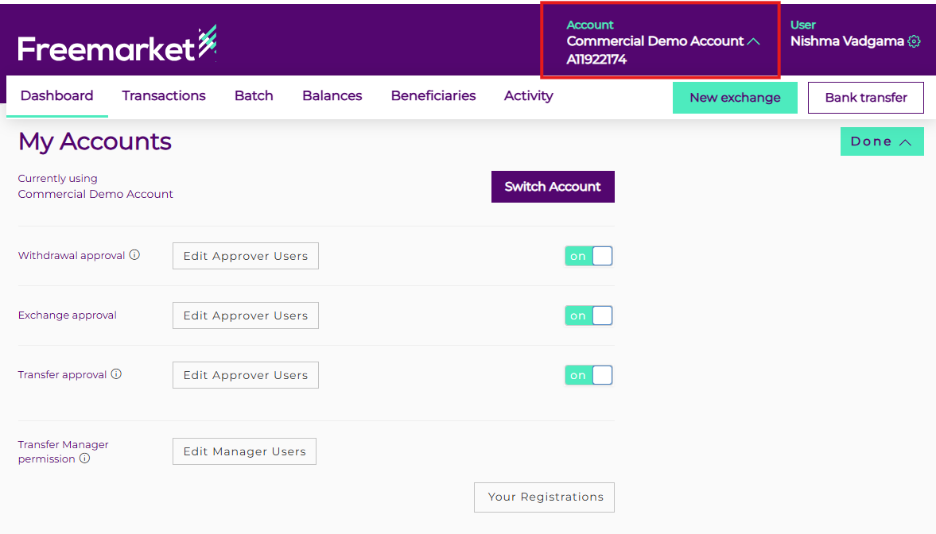
- Scroll down the page until you reach the User Management table.
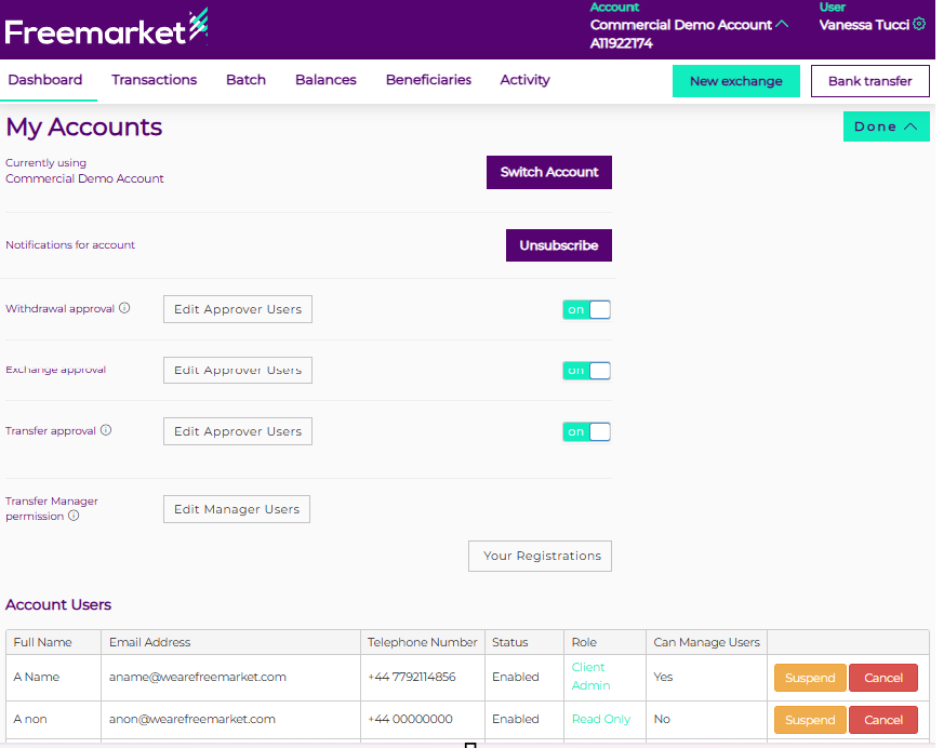
- Browse through the list of users displayed.
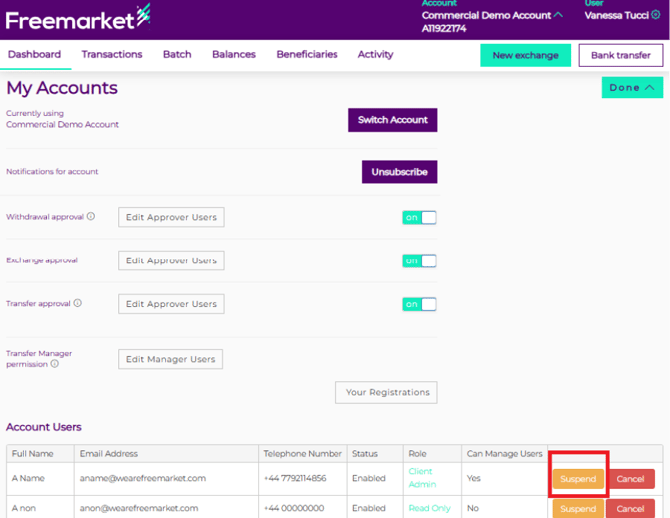
- Identify and select the specific user you would like to suspend and click on “Suspend” on the right side of the page.
- After selecting the user, a confirmation pop‑up box will appear. Review the details carefully to ensure you have chosen the correct user.
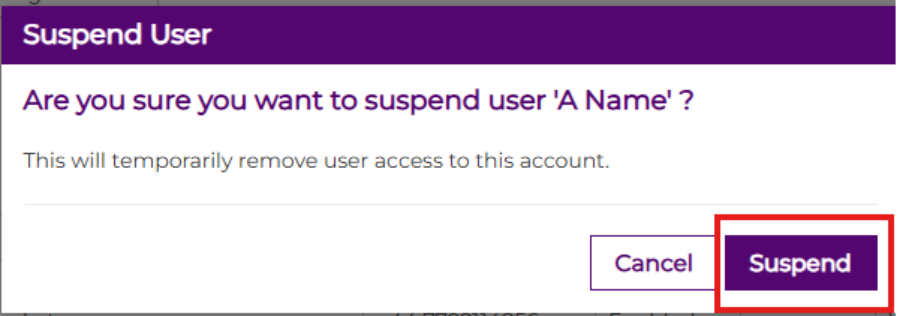
- Click “Suspend” to Confirm Suspension
Note: Once confirmed, the user’s access will be temporarily suspended. Access can be reinstated by a Client Admin or the Freemarket team upon request, provided a Letter of Authorisation is submitted.